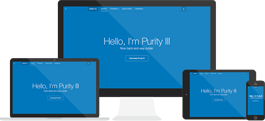
View site A link in the back-end that allow you to see what the front-end would look like while you’re still working in the back-end.
Breadcrumbs A module that helps to display the location of each page as you browse through all the pages on the site. Speaking of navigation, links like Home >> Dream >> Corners are called breadcrumbs. Breadcrumbs appear by default; you can turn them off in Module Manager.
Module Position Module positions are placeholders in a template. They identify positions within the template and tell the Joomla! application where to place output from modules assigned to a particular position. The template designer has complete control over module positions, creating variations between templates and the respective Joomla! default positions assigned to modules in the installation sample data. For example, the module position Left could be defined to be on the left side of the template to display a site navigation menu. So if a module is assigned the Left position, it will be displayed wherever the designer puts that Left module position - not necessarily the left side of the page. Reference: http://docs.joomla.org/Glossary